Professional
$96 /mo
4 participants on annual billing. $450 a month at 100 participants.
The best NDIS compliance software is the system that captures audit evidence as a by-product of daily work, not as a separate scramble before your audit. For most Australian providers that means a purpose-built NDIS operating system rather than a generic CRM: one place where rostering, worker credentials, incidents, progress notes, service agreements and claims all connect, and where every record maps to the NDIS Practice Standards as you go. CareVisor is built for exactly that. Below you'll see how to judge any option honestly, what auditors really check, what it costs, and how much admin time it can hand back.
No credit card, no lock-in, cancel any time.
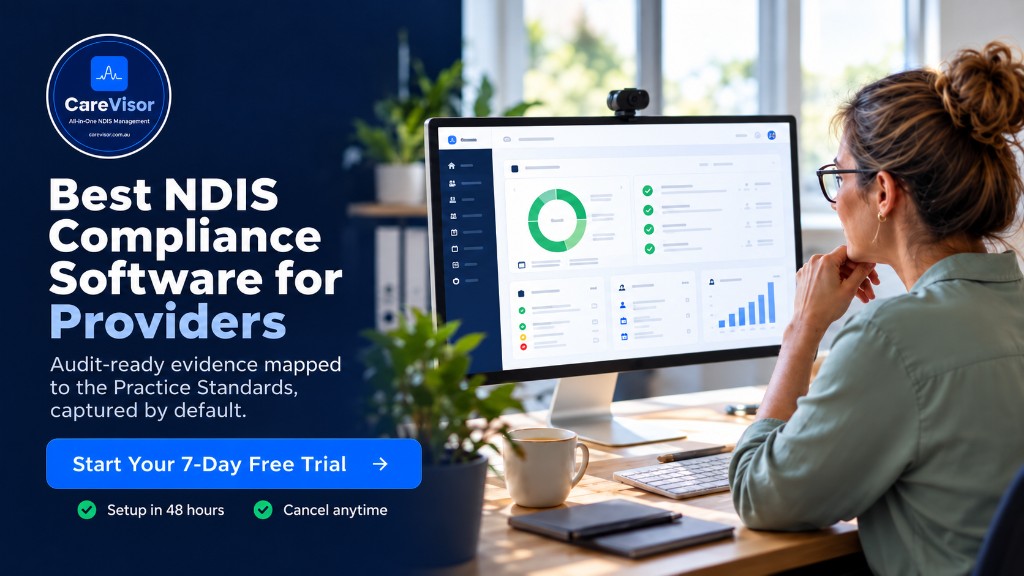
The best NDIS compliance software for Australian providers is a purpose-built NDIS operating system that records audit-ready evidence by default, keeps worker credentials and participant files current, and connects rostering, incidents and claims in one place. CareVisor does this, with a 7-day free trial, no credit card, and no lock-in contract.
NDIS compliance software helps a registered provider meet the NDIS Practice Standards and stay audit-ready every day, not just in audit season. It stores policies, tracks worker screening and credentials, logs incidents, records participant consents and service agreements, and keeps a timestamped trail an auditor can follow.
A basic tool covers one slice of that. A proper NDIS compliance management system, sometimes sold as NDIS provider software, pulls the whole picture together so your evidence isn't scattered across spreadsheets, email threads and a shared drive nobody has tidied since the last audit.
Judge NDIS software on whether it produces evidence, not just whether it stores data. Data sits still. Evidence is what an auditor accepts.
Here's the checklist I'd run any option through before paying for it:
| What to check | Generic NDIS CRM | NDIS operating system (CareVisor) |
|---|---|---|
| Evidence mapped to Practice Standards | Manual | Automatic, per record |
| Credential expiry alerts | Sometimes | Built in, before the lapse |
| SCHADS calculation trail | Rarely | Recorded on every shift |
| Incident and SIRS workflow | Bolt-on | Native, with owners and due dates |
| Data location | Varies | Australian-hosted (AWS Sydney) |
| Setup fee | Common | None |
Auditors don't grade your intentions. They ask for evidence against the NDIS Practice Standards, and they want to see it in seconds, not next week. The recurring items are worth knowing before you choose software, because the right system captures each one automatically.
If you want the full walkthrough, our guides on what NDIS auditors check and how to prepare for an NDIS audit go deeper. The short version: software that maps records to standards as they're created turns audit day into a review, not a rescue.
Most NDIS compliance software is priced monthly, either per user or per participant. Per-user pricing punishes you for hiring. Per-participant pricing scales with the work you're actually funded for.
CareVisor scales with your participant count and includes unlimited staff on every plan, so a solo operator or sole trader isn't paying for seats they don't have, and a growing team doesn't get a bigger bill for onboarding another support worker. There's a zero setup fee, a 7-day free trial with no credit card, and no lock-in contract. You can move the slider to your own participant number and see the monthly figure on the current pricing page.
4 participants on annual billing. $450 a month at 100 participants.
4 participants on annual billing. $975 a month at 100 participants.
Professional annual billing. Above 400 participants, pricing is custom.
The slider opens on annual billing, shown per month, ex GST: Professional is $96 a month at 4 participants and $450 a month at 100. Premium is $201 a month at 4 participants and $975 a month at 100. At 400 participants, Professional is $2.25 per participant a month. Month to month, with no lock-in, Professional is $128 a month at 4 participants and $600 a month at 100, and Premium is $268 a month at 4 and $1,300 a month at 100.
Set any subscription against the cost of one underpayment finding or one failed audit, and the software is the cheaper line item by a wide margin.
Yes, and this is where owner-operators feel it first. The admin that eats your evenings is usually re-entry and chasing: the same worker detail typed into three systems, credential renewals tracked in someone's head, evidence packs rebuilt by hand.
Purpose-built software removes the re-entry. Capture a participant once and it flows to rosters, documents and billing. Log a note or incident from the field on the mobile app. Let expiry alerts do the chasing. When audit season comes, evidence packs export in the format auditors expect instead of taking a fortnight to assemble. You can see how the pieces fit on the features page.
Standing still isn't neutral in this sector. Registration and practice requirements keep tightening, and SCHADS pay rates changed again from 1 July 2026, published by the Fair Work Ombudsman. A payroll system that isn't updated is quietly creating back-pay exposure right now.
Software that updates with the rules keeps you on the right side of both. Read our breakdown of the NDIS compliance changes in 2026 and the new registration rules for 2026 so nothing on your renewal takes you by surprise.
Information on this page is general in nature and is not legal, payroll, industrial relations or audit advice. Always check current official requirements and obtain professional advice for your organisation's circumstances.
You don't have to take any of this on trust. Load a test environment, run a real week through it, and see the evidence pack build itself before your next audit does. Start your 7-day free trial: no credit card, no lock-in, cancel any time. Prefer a guided look first? Book a demo and we'll walk your operation through it.
CareVisor is the NDIS operating system for Australian disability service providers, connecting compliance, rostering, participant management and claiming in one Australian-built platform. Data is hosted in Australia on AWS Sydney. CareVisor is a trading name of ReskillAI Pty Ltd (ABN 60 692 213 086).
Get the CareVisor app on iOS and Android. Rostering, compliance, claims and incident reporting travel with your team, on the platform your support workers use on every shift.